1. Welcome Hearth.com Guests and Visitors - Please enjoy our forums!
    Hearth.com GOLD Sponsors who help bring the site content to you:
    Jotul Cast Iron Stoves
    Woodstock Soapstone Stoves
    Hearth and Home (QuadraFire and Harman Stoves)
  1. Adios Pantalones Minister of Fire

    I'm thinking about getting a webcam for a couple of purposes- it would be fun to be able to see what my crazy dogs do during the day, and I'd also like to have a live feed of a kiln firing. The firing is actually not super exciting to watch, but there is fire involved.

    So there's 2 parts- one, is it easy to set up the site for a feed? and 2- can I get a reasonable quality webcam for cheap? How about a wireless one?

    Thanks
    #1

    Helpful Sponsor Ads!


  2. semipro Minister of Fire

    joined: Jan 12, 2009
    1,686 posts
    SW Virginia
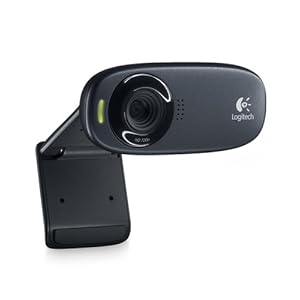
    Inexpensive USB type webcams are relatively cheap ($30) and open source software is available to allow you to set them up as a webcam. I did this recently. You'll need to have a computer on all the time to do it his way though. I used an old laptop. Let me know if you want specifics.
  3. Danno77 Minister of Fire

    joined: Oct 27, 2008
    4,749 posts
    Hamilton, IL
    I've had a hard time finding the means to stream live webcam feeds. I gave up and setup a skype account to auto answer when I called it from another skype account. I'm defintely interested in a free way to broadcast a webcam feed.
  4. semipro Minister of Fire

    joined: Jan 12, 2009
    1,686 posts
    SW Virginia
    I used this (link below) to record video based on motion detection. It worked great for that. It had a webcam feature that I did not try but if the other functions in the software are any indication, it will probably work well.

    http://www.ispyconnect.com/
  5. webbie Administrator

    joined: Nov 17, 2005
    10,917 posts
    Western Mass.
    There are various definitions for a web cam. Basically, there are three types...

    1. Built in or clips on your computer and hooks into the USB.
    2. Wired into your Ethernet network and plugs into the wall.
    3. Wireless and plugs into the wall.

    I like the third option since they can be placed anywhere within a couple hundred feel of your router. Also, wireless can be used wirer (ethernet) also.

    #2 and #3 above actually have little computers inside them - web servers! That is, you can access them on the local network (and sometimes furthers) and change all the settings, etc.

    Accessing the video or pics from them is fairly easy on the local network and only a bit harder to set up if you want to be able to access it from anywhere. In order to be able to access it from anywhere, you need to set up something called dynamic DNS. Many times you will see an offer with the web cam to get this for free or cheap.

    Panasonic, for one, includes it for free:
    http://panasonic.net/pcc/support/netwkcam/technic/viewnetcam_info.html

    Here is a very low cost cam, but you can dig around for quality and price....
    http://www.amazon.com/D-Link-DCS-930L-mydlink-Enabled-Wireless-Network/dp/B00452V66G/ref=pd_sim_p_6
  6. Adios Pantalones Minister of Fire

    Thanks everyone- looks like I have some leads now
  7. maverick06 Minister of Fire

    joined: Sep 27, 2008
    640 posts
    media, pa
    let us know what you get, i am in the market for one too.

    Dealextreme.com has a few in the $50 price bracket... they work just fine, but the image quality isnt very good. for security they are fine, for entertainment, not so much.
  8. GAMMA RAY Minister of Fire

    joined: Jan 16, 2011
    1,980 posts
    PA.
    +1 on that.....I am lookin for one too...
  9. Adios Pantalones Minister of Fire

    daveswoodhauler likes this.
  10. daveswoodhauler Minister of Fire

    joined: May 20, 2008
    1,826 posts
    Massachusetts
  11. maple1 Minister of Fire

    joined: Sep 15, 2011
    1,946 posts
    Nova Scotia
    I'd like to see some feedback on this one. I've been looking around for a way to monitor my basement boiler & storage when I'm away from home (or at home on the computer without going into in the basement), and this seemed to fit the need. Online reviews I've read are mixed. Saw one on a local store shelf.
  12. webbie Administrator

    joined: Nov 17, 2005
    10,917 posts
    Western Mass.
    I bought one of the D-links on sale for about $40-$45 just to test it out.

    So far, so good. Once I got it hooked to the router, it seemed to stay that way. I put it on my front porch and D-Link has an iphone app which allows me to monitor it from anywhere.

    I can't monitor as well on the computer because the computer apps use Java or Active-X, none of which I have (or want to) install on my Macs. So keep in mind this cam works well for iphone monitoring and may work OK on some windows machines, but on Mac not so well without Java installed (and newer mac systems have done away with this).

    There are 3rd party programs which can connect and allow video on the mac - I tried one and it worked.

    OK, here is the model number of the one I got:
    D-Link DCS-930L mydlink-enabled Wireless N Network Camera (about $40+ on sale).
  13. maple1 Minister of Fire

    joined: Sep 15, 2011
    1,946 posts
    Nova Scotia
    I would be accessing from Windows machines (laptop while away) all running XP (yes its old, but I like it :) ).

    Also when away I would likely get one of the kids to check it out for me some on one of their Iphones.

    (I'm still in the Dumb Phone crowd...)

    I think I'll take a closer look next time I'm in that store and maybe take a chance on it.
  14. BrotherBart He Who Moderates

    joined: Nov 18, 2005
    21,915 posts
    Northern Virginia
    I have four of the D-link 932L cams running flawlessly for a year now. They work great on XP but do need Java or Active-X. Third party software allows viewing but without the camera control features of D-Link software.
  15. Jags Super Moderator

    joined: Aug 2, 2006
    11,255 posts
    Northern Illinois
    AP - you could just re-use the ones I have set up in your house.
    Adios Pantalones likes this.
  16. Delta-T Minister of Fire

    joined: Feb 27, 2008
    2,624 posts
    NH
    why you try to ruin my favorite programs??? I have my DVR all set up and everytings.
  17. Jags Super Moderator

    joined: Aug 2, 2006
    11,255 posts
    Northern Illinois
    Don't worry, you can still switch over the the Gamma channel.
    Delta-T likes this.
  18. webbie Administrator

    joined: Nov 17, 2005
    10,917 posts
    Western Mass.
    Some of the mac apps and maybe the pad ones allow you to use the detection, etc. but they charge you....you download the app free, and then they try to take points (pennies) from you 100 or 500 at a time to unlock certain features.

    Screw that!
  19. BrotherBart He Who Moderates

    joined: Nov 18, 2005
    21,915 posts
    Northern Virginia
    ispyconnect has detection, alerts, multiple cams, record on detect etc. for Windows and is free.

    I am running four D-links with it on a old Dell notebook.

Share This Page